Made for the live moment

Your whole show.One iPad.

Backing tracks, click, dynamic spoken cues and lyrics. Keep the band together, and move through the set your way.

For iPad, iPhone and Mac.
Every feature unlocked during the beta. No Vessa account to create.

Vessa Rig playing Neon Porchlight: lyrics and chords, instruments, song sections and the setlist together on the Live page
The Live page. Your set, ready to play.

A closer look

Everything in its place.

A player, a mixer, instruments and words for every screen. All part of the same song.

01 / Playback

Keep the band
in the moment.

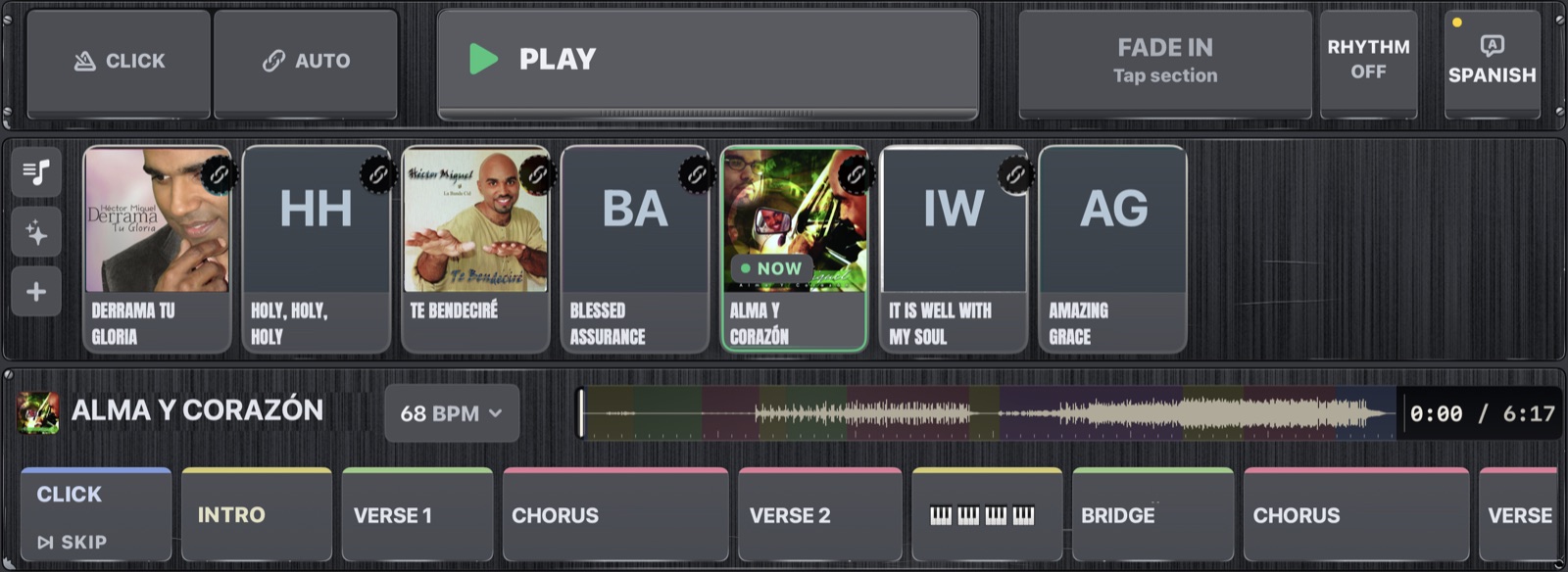
Play your stems, send click and dynamic spoken cues to the band, and move between songs. The cue calls the next section by name, right on the count.

Explore playback
Vessa Rig with playback controls, song covers, sections in a close view.

02 / Lyrics

Words that belong
to the music.

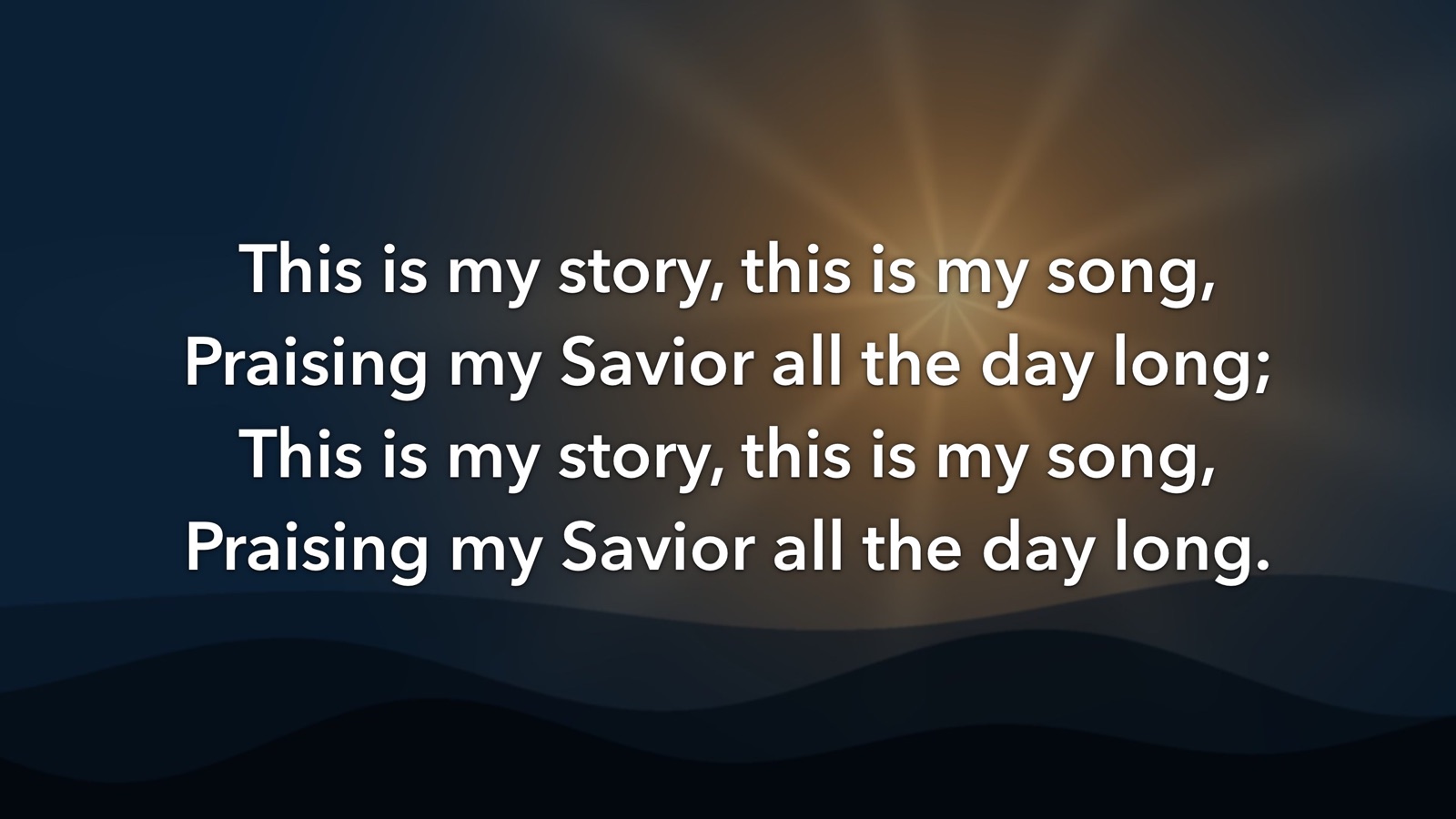
Give each song its own look on the projector. Your band can follow lyrics, chords and cues on their phones and iPads.

Explore lyrics & screens
Blessed Assurance lyrics projected from Vessa Rig

03 / Mixer

Make room for
every sound.

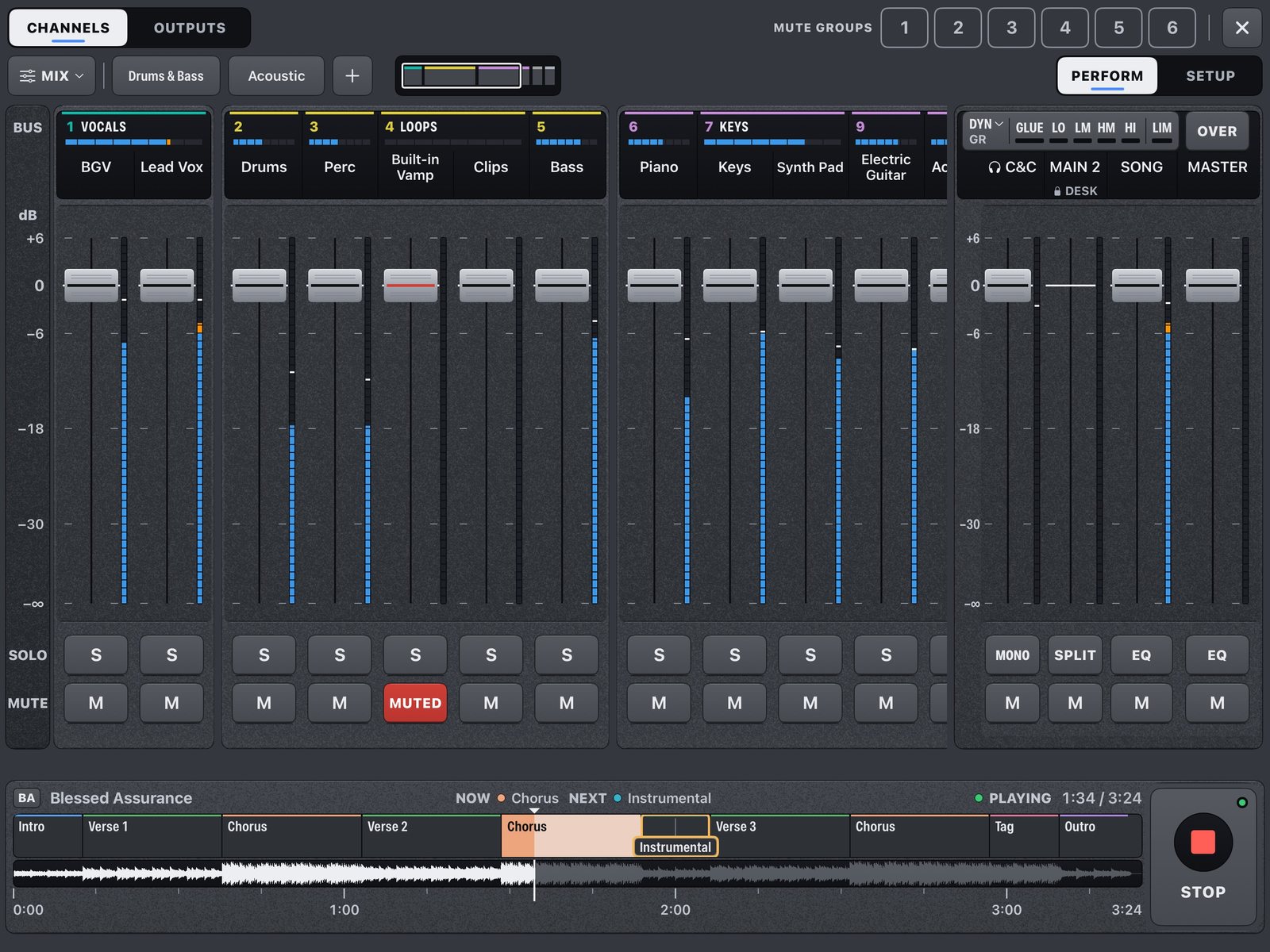
Channel EQ and flexible routing for the audience mix. A separate Ears mixer for what you hear on stage. A second iPad lets your sound engineer mix while you lead.

Explore the mixer
The Vessa Rig mixer, showing channel strips, levels and routing

04 / Instruments

A little more
under your hands.

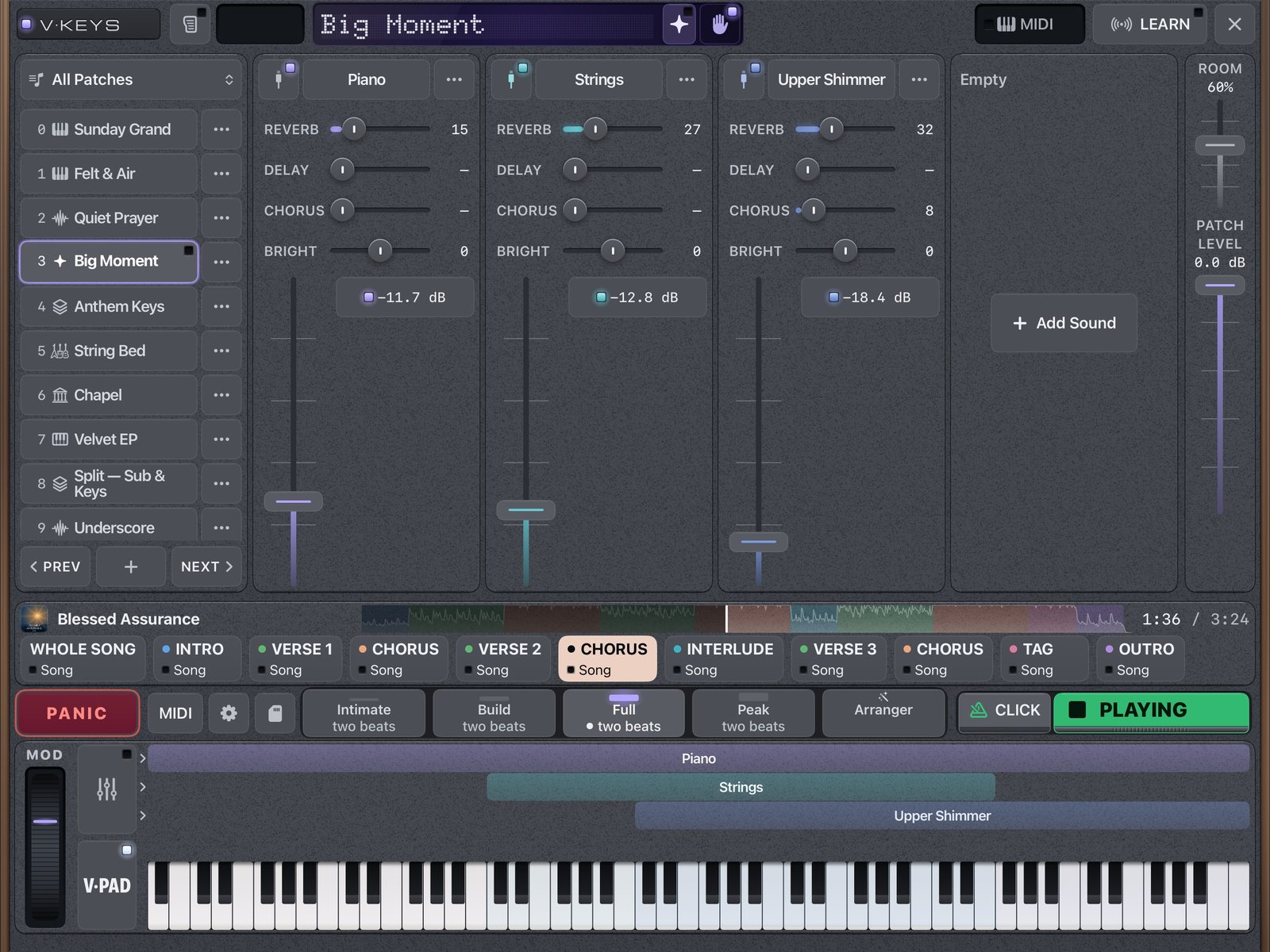
Piano, organ and pads with Vessa Keys. An ambient bed with Vessa Pad. Reverb, delay and harmony for your voice.

Explore instruments & voice
Vessa Keys and Vessa Pad, built into the Vessa Rig Live page

See everything Vessa Rig can do

Leave room for the moment

The song follows
your lead.

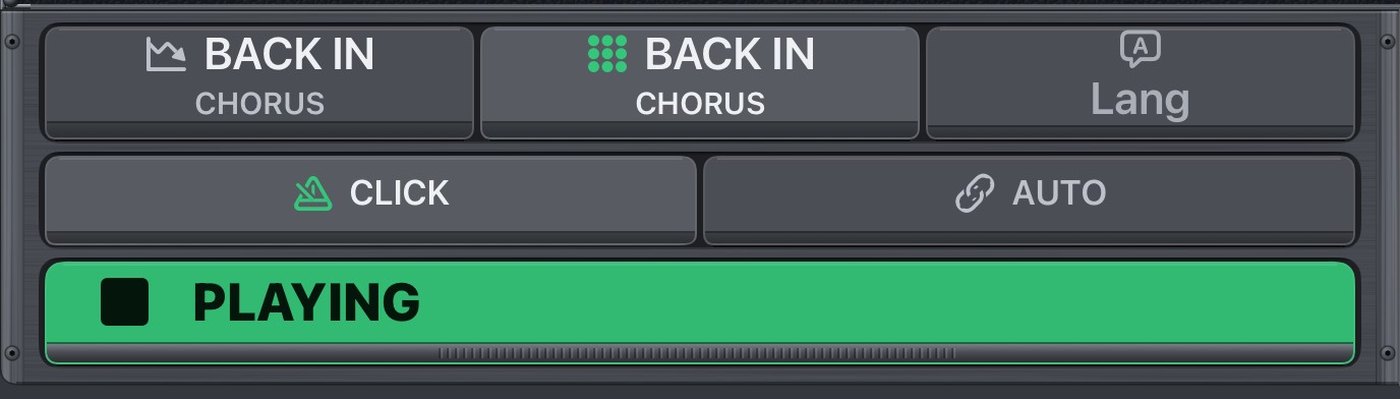
Let the chorus breathe. VAMP holds the section while percussion keeps the pulse. Come back in on the count, then segue straight into the next song.

See how it flows

VAMP and segues are part of All Access.

The BACK IN controls, with VAMP holding a section
Stay here. Come back when you’re ready.
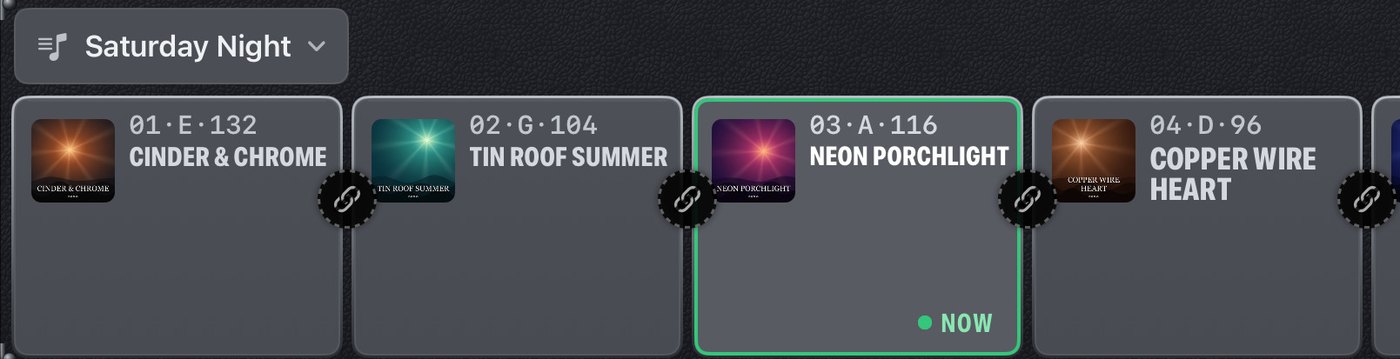
The Vessa Rig setlist, with the current song lit
Let one song lead into the next.

Your rig, your way

Build the rig you play best on.

Move, resize and hide modules to suit the way you play. Select a layout to see how your Live page can change.

Mixer below Top Layers and the Parchment Bible projection.
Keep the mixer in view, with Top Layers and projection above it.
Playback controls above a compact setlist, song sections and mixer.
Keep playback controls, song covers, sections and the mixer within reach.
Clips and Vessa Keys on the left, Vessa Pad and playback controls on the right.
Vessa Keys and Vessa Pad, with large clips alongside and your setlist above.
MIDI/OSC lighting controls and lyrics above song sections and the setlist.
Run the lights with scenes, faders and an XY pad beside your lyrics.

Dedicated in-ear mixer

Your ears.
Your own mix.

A separate mixer for your in-ears. Hear more of your keys, balance the tracks, click and cues, and leave the audience’s mix exactly where it belongs.

With a dedicated interface output or Cue Split.

Meet the Ears mixer

Books & Podcasts

Listen.
Read along.

Bring your audiobooks, podcasts, sermons or talks. Follow the words as the voice plays, jump between chapters and save a thought with a bookmark.

Transcribed on your device. Pick up where you left off.

Explore Books & Podcasts

Find your place

Whatever the stage.
Whoever you play for.

A Sunday service, a full band or just you and your songs. Build a rig around the way you play.

Before your first song

A few straight answers.

Start with what you have. Bring your music and get to know the rig.

Find your first steps
What does it cost?

The beta is free, with every feature unlocked. At launch, the free tier includes five songs and one book or podcast. For more, Vessa Rig is by the year or once for life, with All Access as an add-on. See how the plans work.

Can I bring my own music?

Yes. Bring folders of stems, ChordPro charts, Vessa files or backups. Import tempo and section markers from Ableton sets. Moving in is free, and if you ever stop paying, every song you have still plays. See what comes across.

Do I need internet on stage?

The rig runs on your iPad without internet. Your band’s iPads and iPhones connect directly with Wi-Fi switched on; Android and Windows companions need shared Wi-Fi. Meet the companions.

Is the beta ready for a real show?

It already runs real services, and each one has found things to fix. Rehearse the exact version you’ll play, and keep your old rig within reach until you trust it. When it fails.
Your next song starts here

Bring the music.
Make it your own.

Try Vessa Rig with your songs, your instruments and your way of playing.

Free on TestFlight for iPad, iPhone and Apple silicon Mac.
Your songs still play if you stop paying.