 Vessa Rig
Companions
Windows and Android.
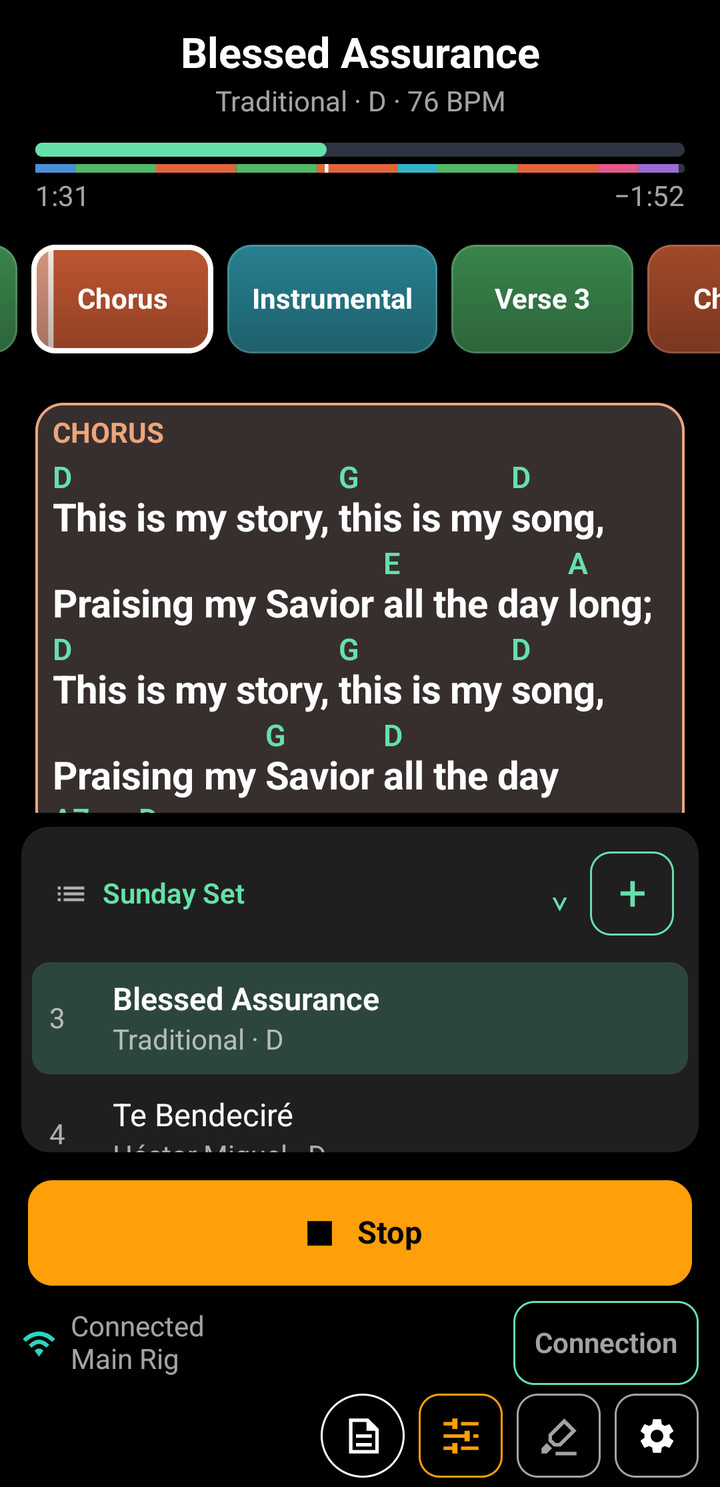
Companion apps put your rig’s lyrics, chords, charts and setlist on the devices your band already has. They connect to Vessa Rig on your iPad, iPhone or Mac.
Vessa Rig Companion
Windows. Coming soon.
Lyrics, chords, charts and setlists on a Windows PC, the controls your rig grants, and lyrics or Bible passages on a second screen.
Vessa Rig Companion
Lyrics and control. On your PC.
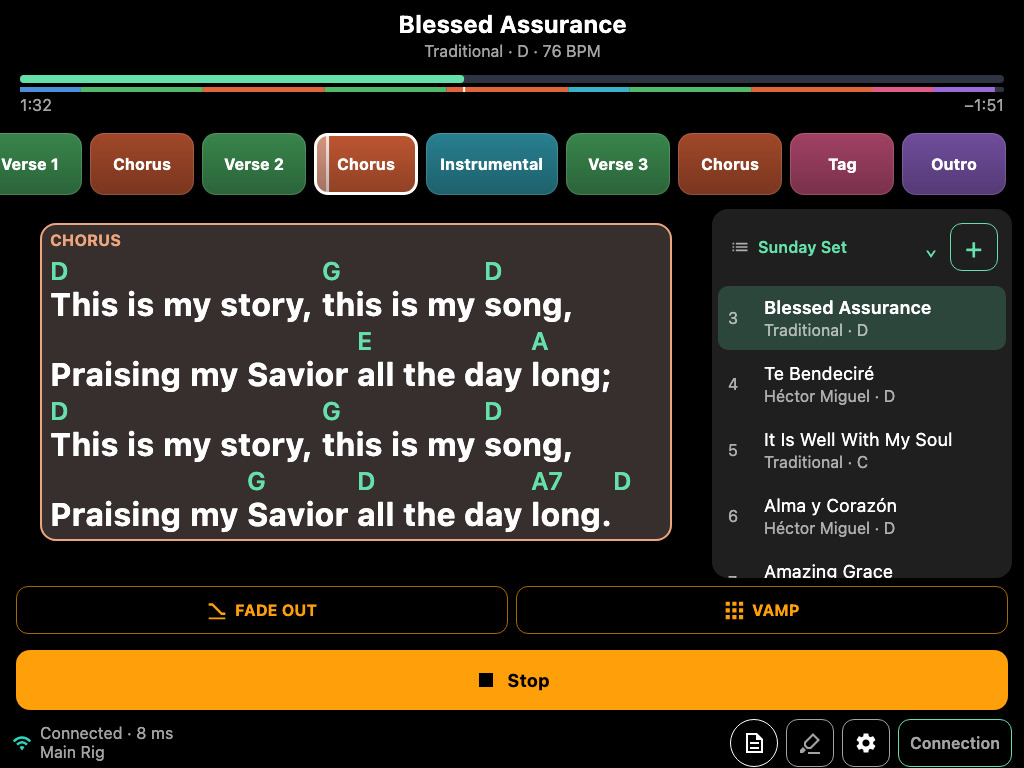
Follow your rig's lyrics, chords, charts and setlists. Use the controls your rig grants, and put lyrics or Bible passages on a second screen.
Vessa Media and seven offline Bibles are included, and more free Bibles download in the app. The built-in clips and slides are ready after installation.
Version · · Windows 10 (1809 or later) / Windows 11 · Intel/AMD 64-bit
To update, download the latest installer here, close the app and run the installer. Read the manual
- Download and installOpen the MSI on your Windows PC. If Windows says it protected your PC, click More info, then Run anyway. No separate Java installation is needed.
- Join the same networkConnect the PC and your main iPad, iPhone or Mac rig to the same local network.
- Choose your rigOpen Connection in the companion, choose your rig, then grant the access it needs on the main rig.
Vessa Rig Companion for Android
Band on Android? Help us test.
The companion puts your rig's lyrics, chords, charts and setlist on Android phones and tablets on the same Wi-Fi, and its Bible works on its own. It's free while we test it on Google Play.
Connected features need Vessa Rig on an iPad, iPhone or Mac. Joining shares your email with us, only for news about the test.
- Join the testersTap Join group, signed in with the Google account your Android's Play Store uses.
- Accept the testWe'll email you the test link as soon as Google opens it.Open the test link on that Android and tap Become a tester.
- Install and stay two weeksInstall Vessa Rig Companion from Google Play. Google counts the testers who stay in for 14 days before the app can go public.